
Organized inbox
Browse email in a cleaner list with sender details, message previews, unread indicators, categories, and priority labels.
InboxEvo turns Gmail into an organized command center for messages, packages, appointments, financial activity, reminders, daily summaries, and the actions that need your attention.
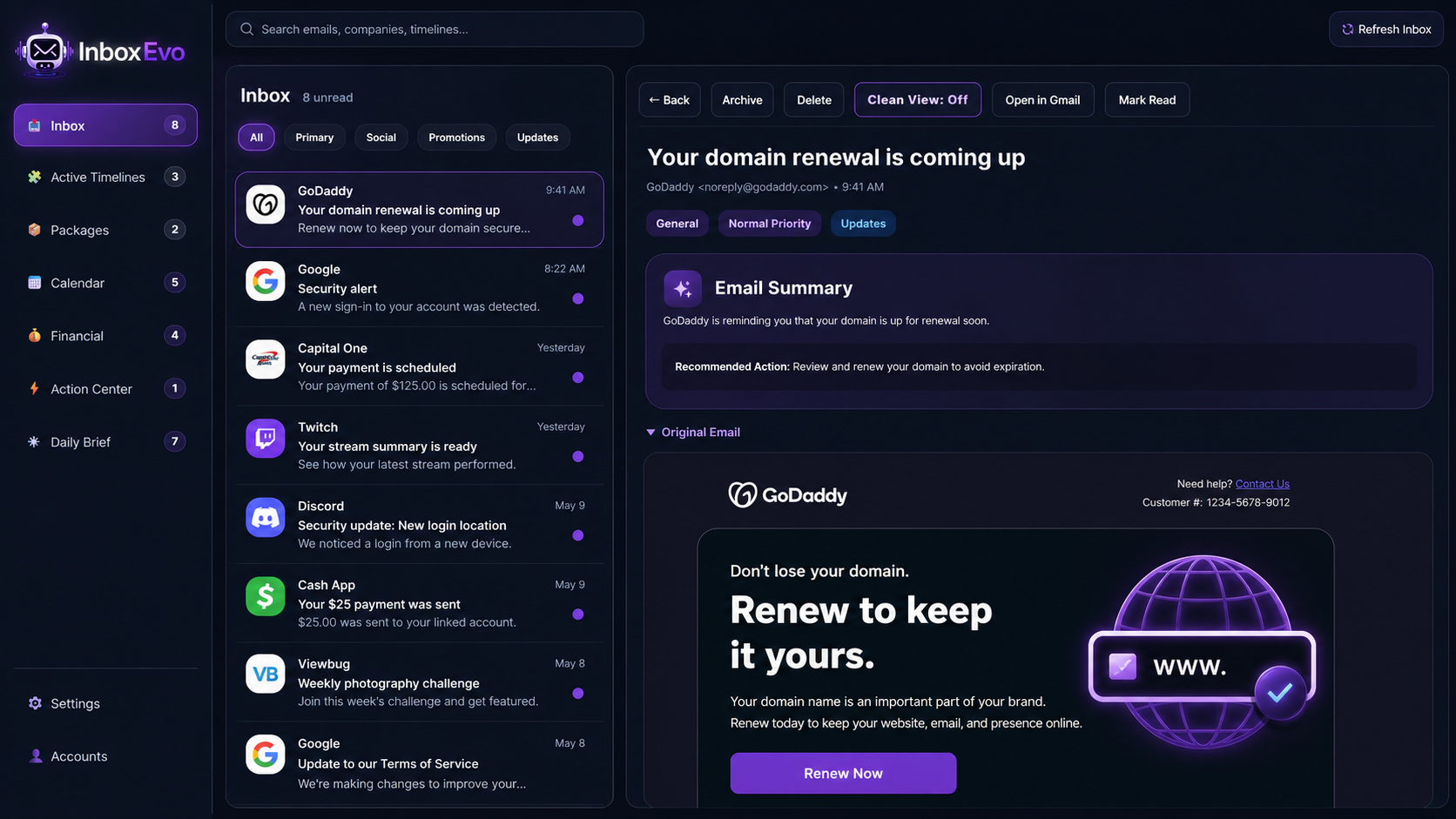
The dashboard gives you a clearer view of your inbox and turns scattered messages into organized information you can understand and act on.
InboxEvo organizes more than subject lines. It helps you understand why a message matters and what you may need to do next.
Browse email in a cleaner list with sender details, message previews, unread indicators, categories, and priority labels.
Quickly understand the purpose of a message through a focused summary and a suggested next action.
Filter your inbox by financial activity, packages, calendar events, shopping, security messages, and other meaningful groups.
Archive, delete, mark as read, return to the inbox, or open the original message in Gmail from one action bar.
Surface meeting reminders, scheduled events, dates, and other time-sensitive information found in your email.
Bring payment notices, receipts, account alerts, and scheduled transactions into a dedicated financial view.
Gather shipping notices and delivery updates into one place instead of searching through your entire inbox.
Identify messages that may require a response, confirmation, payment, renewal, review, or another important next step.
Review a focused collection of recent inbox activity without opening every message individually.
InboxEvo presents a clear summary at the top of the reading pane while keeping the complete original message available directly below it.
The browser popup gives you a fast overview of unread messages without requiring you to open the complete dashboard.
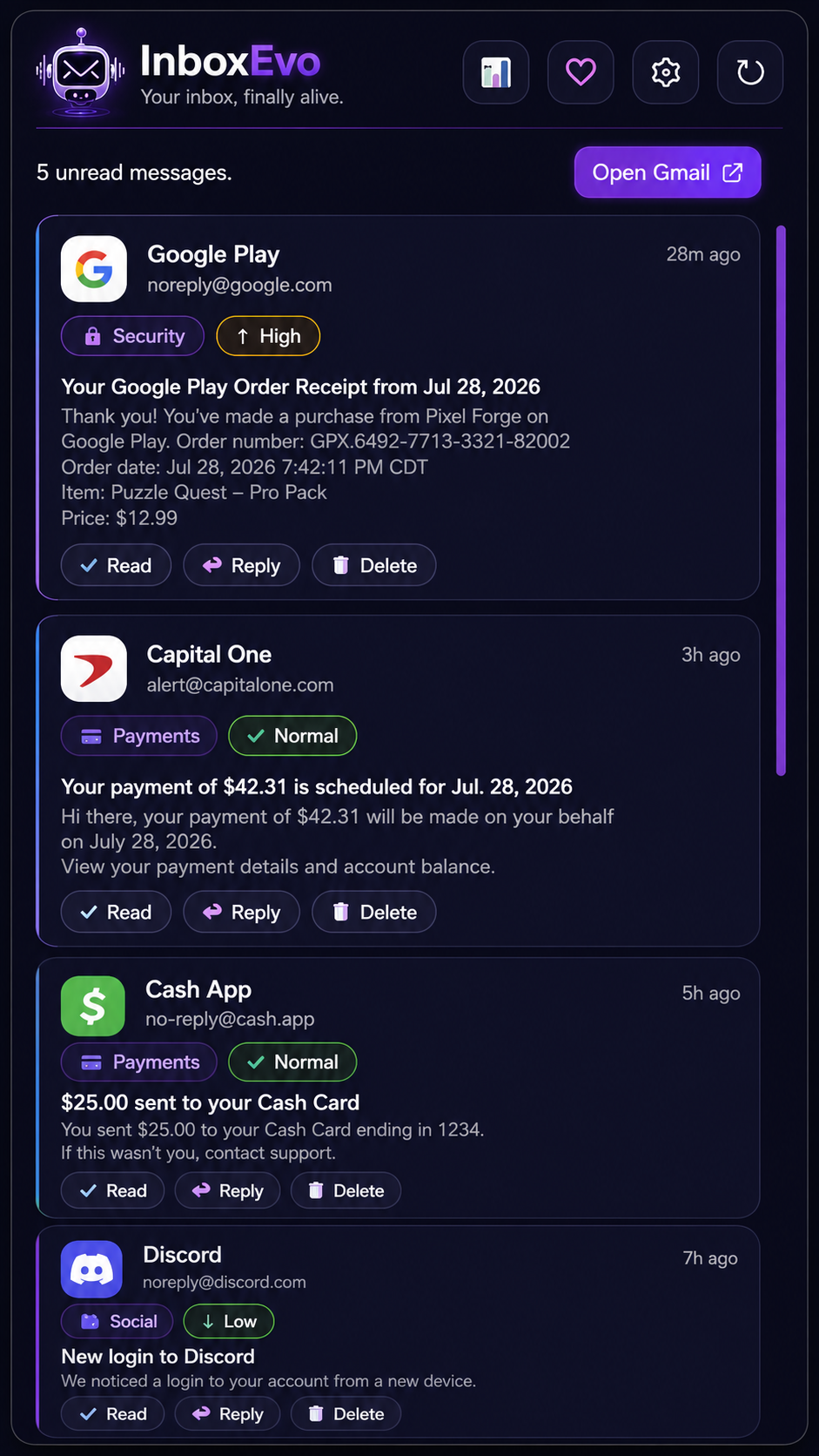
Search messages, companies, and timelines while keeping account access and settings available from the same dashboard.
Search by message content, sender, company, or timeline from the main dashboard.
Reach connected-account controls without leaving the InboxEvo navigation.
Adjust notifications, sound feedback, appearance, and other InboxEvo preferences.
Development progress is calculated from real feature checklists. Whenever a completed task is checked off in the roadmap data, these progress bars update automatically.
Prepare InboxEvo for its first public browser-store release with final testing, store descriptions, screenshots, permissions review, and release documentation.
Develop the organized InboxEvo dashboard experience for viewing inbox categories, summaries, account information, and quick actions.
InboxEvo helps organize and present your Gmail activity while keeping the original inbox and messages available.
Explore the complete feature set, learn how InboxEvo works, or contact support with questions about the extension.